
Expand your possibilities
〰️
Expand your possibilities 〰️
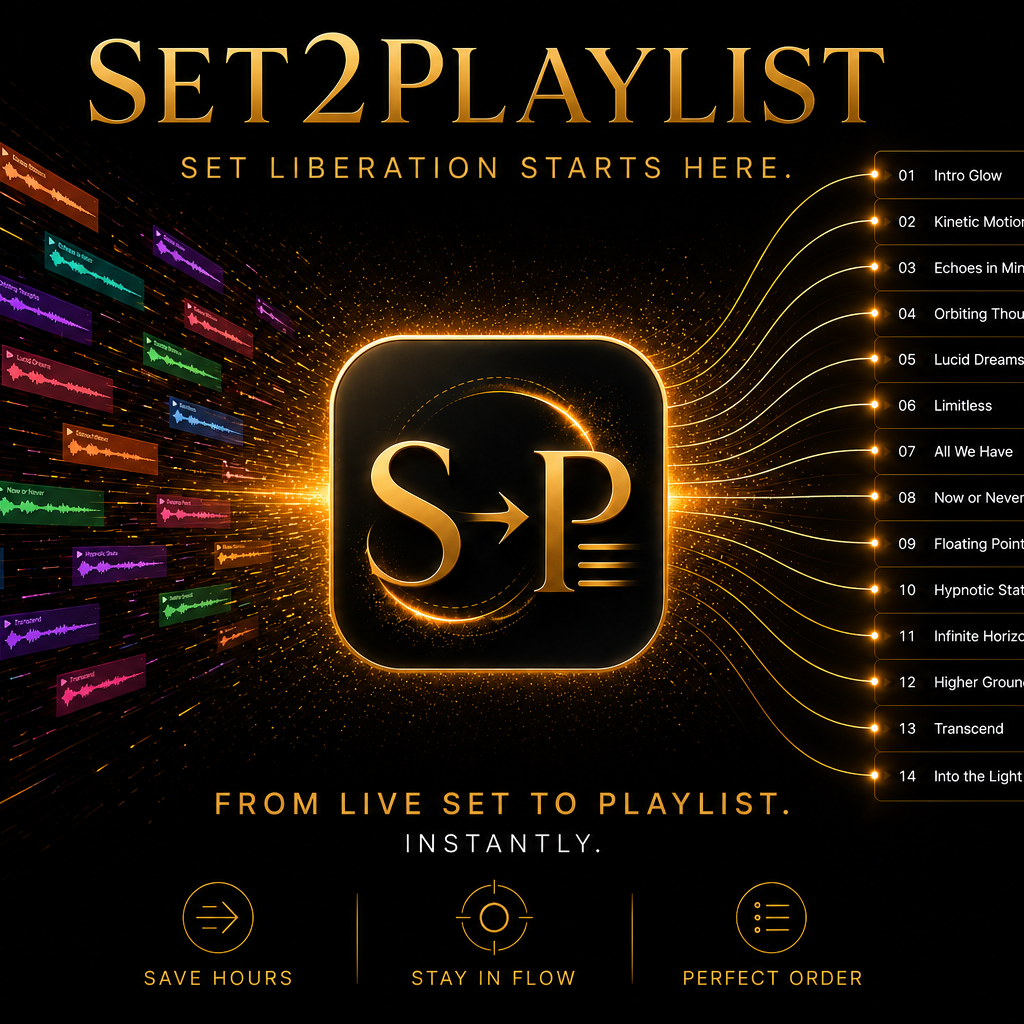
Years of musical organization shouldn't stay locked inside Ableton.
Export playlists from Ableton Live Sets (.als) in seconds while preserving the musical organization you've already built with Set2Playlist!
Use your Ableton sets in Rekordbox, Serato, Apple Music/iTunes, & other playlist-based workflows without rebuilding everything from scratch.
✅ Session View support
✅ Arrangement View support & hybrid sets
✅ Single & Batch export multiple Ableton sets
✅ CSV playlist export
✅ M3U playlist export
✅ Scene-first or Track-first export order
✅ Preserves your work & simplifies your workflow
✅ Easy organization, choose where exports are saved
Bring Years of Ableton Organization Beyond Ableton
Built for DJs, producers, performers, & music lovers who have spent years organizing music in Ableton & want to bring that organization into Rekordbox, Serato, Apple Music/iTunes, & beyond.
Simple. Fast. Make more time for music, spend less time on organizing.
Quickly extract track information from your Ableton sets for use in DJ software, music libraries, archiving, documentation, and playlist management.
Turn years of Ableton organization into playlists in seconds.
Thoughtfully organized: Exports your sets complete with track names, order, & audio file links preserved. Rather than leaving dozens or hundreds of files scattered across your computer, Batch exports are automatically grouped into organized folders, keeping playlists & supporting files together so your exports remain clean, easy to browse, & ready to use.
Your musical organization already has value. Set2Playlist honors it.
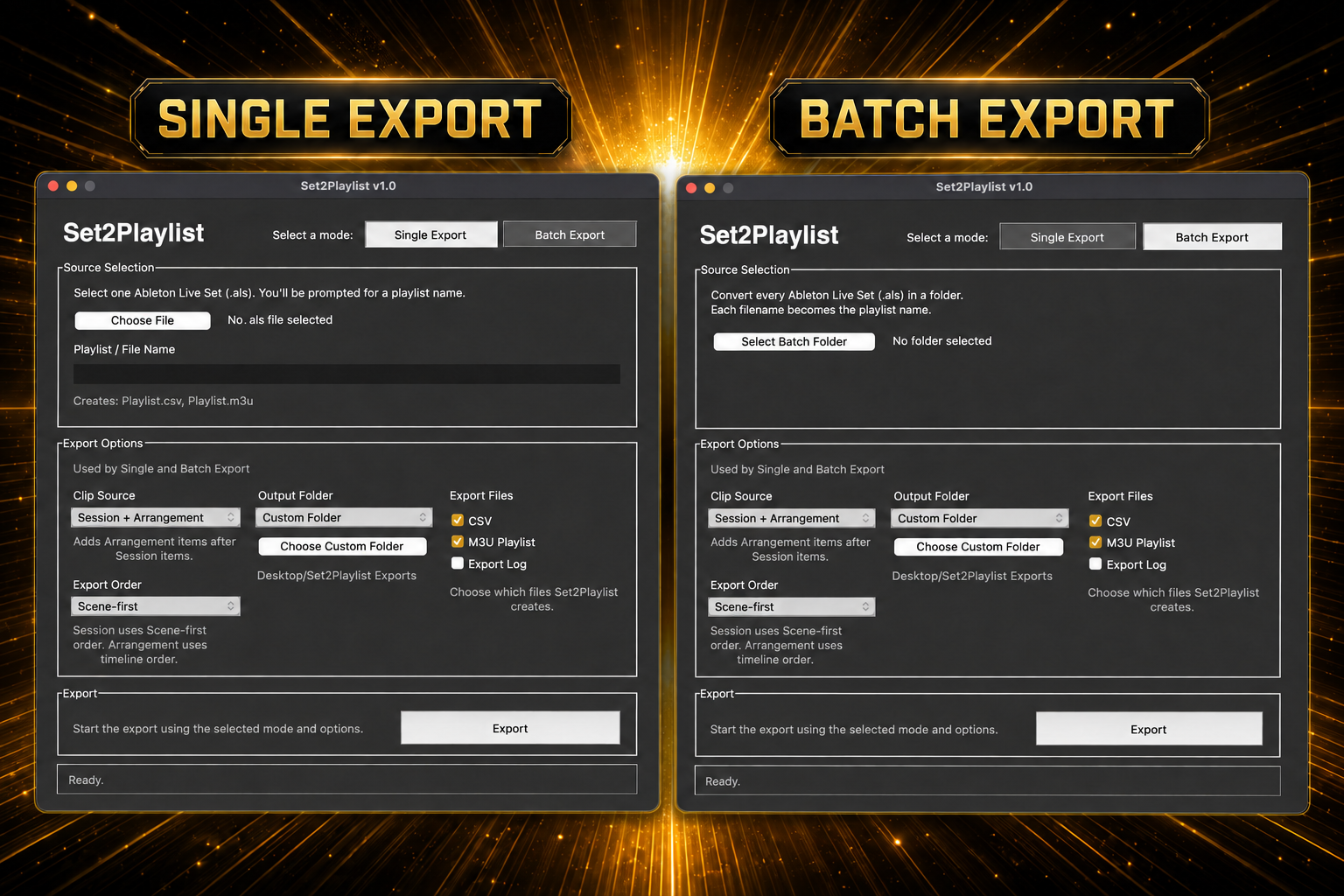
A bridge between inspiration & possibility.
Take Your Ableton Sets Beyond Ableton! Keep Ableton as your creative home while taking your music anywhere.
Whether you’re preparing a DJ set, organizing a music collection, archiving years of projects, or exporting playlists for other platforms, Set2Playlist helps streamline the process, preserves the organization you've already created, & save hours of manual work so you have more time for making music.
Export playlists directly from Ableton Live instead of dragging tracks one by one into DJ software!
Turn old Ableton Live sets into organized playlists to use in other software. Use your existing Ableton organization in popular DJ software such Rekordbox or Serato, listen to in Apple Music/iTunes, create spreadsheets, archive your sets, discover new music management workflows.
Batch Export Entire Collections!
Process multiple .als sets at once and quickly build playlists from years of projects. Each exported playlist is automatically grouped into its own organized folder, making large collections easy to browse and manage.
Works with Session and Arrangement View!
Export playlists from Session View projects, Arrangement View projects, or hybrid sets that contain both.

Great For:
DJs
Export playlists from Ableton DJ sets
Build playlists for use in Rekordbox, Serato
Posting tracklists for mixes online
Producers
Organize stems & live sets
Export Arrangement projects
live performers wanting to make playlists of your Ableton set backing tracks
Archive productions
Sharing set lists with collaborators
Music Libraries
Rediscover old music
Create Apple Music playlists
Catalog projects
Generate CSVs to import to spreadsheets
Reviewing tracks used in past sets
Preserve Your Work
✅ Non-destructive exports: Export with confidence. Your Ableton library stays exactly as you organized it.
✅ Preserves musical organization — track names, order, and audio file links remain intact. Choose where exports are saved.
✅ Re-export anytime — Keep playlists updated as your Ableton library evolves.
Flexible Export
✅ Session, Arrangement & Hybrid support
✅ Scene-first or Track-first organization
Save Time
✅ Single export
✅ Batch export
✅ Export multiple formats at once
✅ Automatically organized exports — Every batch is neatly grouped into its own folder. Choose where exports are saved
selectable Export Formats
✅ M3U
✅ CSV
✅ Export logs
✅ Choose your export formats. Export any combination or all.
Works Great With
✅ Rekordbox
✅ Serato
✅ Apple Music/iTunes
Designed for Real Ableton Workflows
✅ Export one set or hundreds
✅ Save exports wherever you like
Pricing details:
$29 for one computer use $49 for 2 computer use
Secure checkout • Instant download • License delivered automatically
One-time purchase. Yours to keep. No subscriptions
macOS (Apple Silicon) Requires macOS 15 Sequoia or later
✅ Converts .als Files to .m3u Playlists: Convert Ableton Live Set (.als) files into standard .m3u playlists.
✅ Converts .als Files to .csv: Export playlist data as .csv for spreadsheets and custom workflows.
✅ Folder Batch Conversion: Batch process an entire folder of Ableton Live Sets at once
✅ Preserves your Set Organization: Choose Scene-first or Track-first export order
✅ Session, & or Arrangement Export: Export from either Session View or Arrangement or both
✅ Perpetual V1 License: One-time purchase. Includes any Version 1 updates
✅ Native macOS App: Built for Apple Silicon (M-series) Macs. Requires macOS 15 Sequoia or later. Intel-based Macs are not currently supported.
Activation: Choose Single or 2 activation depending on your setup.
One installation of Set2Playlist on one computer.
You can deactivate an old computer and move your activation to a new one at any time.
$29 Single Activation = 1 computer activation
Perfect for individual DJs with one laptop
$49 2 computer Activations
Need Set2Playlist on your MacBook & your studio Mac?
V1 Perpetual License includes any updates to Version 1.x. for free
Apple Silicon Macs only (M1, M2, M3 & newer). Native macOS App: Built for Apple Silicon (M-series) Macs. Requires macOS 15 Sequoia or later. Intel-based Macs are not currently supported. See System Requirements below for more details
Digital Product Policy: Because Set2Playlist is a downloadable digital product, downloaded or accessed copies of Set2Playlist are generally non-refundable. If you change your mind and have not yet downloaded or accessed the app, you may request a full refund within 14 days of your purchase after we have cancelled the activation. If you experience a software issue that prevents Set2Playlist from functioning as intended, please contact us. We'll work with you to resolve the issue and, if we're unable to provide a reasonable solution, we may issue a refund at our sole discretion. Any request of this nature must be be submitted within 14 days of the original purchase.
We stand behind the quality of Set2Playlist & want you to have a great experience using it.
-
• What is the difference between CSV and M3U?
CSV is a spreadsheet-style export that includes track information and file paths.
M3U is a playlist format that can be imported directly into compatible DJ and music software.
Q: What’s included in the exported M3U and CSV files?
M3U Playlist (.m3u)
The M3U is the playlist file you’ll import into compatible DJ and media applications, such as Rekordbox and Apple Music / iTunes. It preserves the exported playlist order, track names, and references the audio files from your Ableton Live set.CSV Reference (.csv)
The CSV is a companion reference file containing the exported track names, Ableton track and scene information, and audio file locations. It can be opened in any spreadsheet application to review or verify your export.• Which DJ software is supported?
Set2Playlist exports standard CSV and M3U files that work with many applications, including Rekordbox, Serato, Apple Music, and other software that supports these formats.
• Can I use Set2Playlist offline?
An internet connection is required for initial license activation. After activation, Set2Playlist can be used normally on the activated device.
• What export order should I choose?
Scene-first exports across each scene from left to right before moving to the next scene.
Track-first exports down each track before moving to the next track.
Both exports contain the same audio files. The difference is only the order of the playlist.
You can even try both options and compare the exported playlist order.
• Why does Apple Music/iTunes show an empty playlist?
Apple Music/iTunes only displays tracks that already exist in its library.
If an imported playlist appears empty, make sure the referenced audio files have already been added to Apple Music/iTunes. Once the files are present in the library, the playlist should populate correctly.
• Does Set2Playlist work with Arrangement View & session projects?
Yes. Set2Playlist can export playlists from Ableton Live sets containing Session View clips, Arrangement View clips, or both.
For hybrid Ableton projects that contain both Session View and Arrangement View content, Set2Cue processes Session View first, followed by Arrangement View.
What is an activation?
An activation is one computer authorized to use Set2Playlist. Choose 1 Activation if you’ll use Set2Playlist on a single computer, or 2 Activations if you’ll use it on two of your own computers. You can deactivate an activation and move it to a new computer.
Is this for Windows or Intel?
No. Set2Playlist currently supports macOS Silicon only.
Do you offer refunds?
Set2Playlist is downloadable software. Because the product is delivered immediately after purchase, all sales are final. If you experience a technical issue, please contact support and we will do our best to help resolve it. Please see System Requirements & tech notes before purchasing. If you have any questions or if you experience a technical issue, please contact us. @contactimagikalabs
-
System Requirements
Mac computer
Apple Silicon Mac (M1, M2, M3, M4, or newer)
macOS 15 Sequoia or later recommended for the current release
Ableton Live .als set file linked to audio files on computer
Internet connection for first-time license activation
Compatibility
Ableton
Designed for Ableton Live .als files
Tested with Ableton Live .als files from Ableton Live 8 through the latest version (Ableton Live 12). Older versions may also work but have not been tested and are not guaranteed.
Playlist Applications
Set2Playlist converts Ableton Live Set (.als) files into standard M3U playlists and CSV setlists.
Rekordbox (M3U import)
Serato (M3U import)
Apple Music / iTunes (tracks must already exist in your library)
Other applications that support standard M3U playlists
What Set2Playlist exports
CSV playlist file
M3U playlist file
Export log file
Compatibility
Set2Playlist is currently designed for Apple silicon Macs (M1, M2, M3, M4, and newer).
-
Important Notes
Set2Playlist exports playlists for Apple Music, iTunes, Rekordbox, Serato, and other DJ workflows while preserving track information and file locations.
Set2Playlist reads Ableton Live .als files and creates .m3u playlist exports.
Your Ableton set is never modified.
Your audio files are never moved, copied, relinked, or modified.
Set2Playlist works with the audio file paths stored in your Ableton Live set. Original audio files must still exist at the locations stored in the Ableton Live set for playback to work correctly. If audio files have been moved, renamed, or deleted, Set2Playlist will still export playlist entries, but the missing files cannot be played until they are restored or relinked in Ableton. Open the set in Ableton and make sure all files & links are accurate before exporting.
Apple Music / iTunes playlists will only populate if the referenced tracks already exist in your library. Add your music to your library before importing playlist for best results.
Export destination must be writable (Desktop, Downloads, or another selected folder).
Export files are very small (typically under 1 MB).
Batch exporting doesn't just process your entire library—it also organizes the results for you. Set2Playlist automatically creates export folders, keeping playlists, CSV files, & related exports neatly grouped together so everything is ready to use the moment the export finishes.
Recommended Workflow
Ableton Live Set (.als)
↓
Set2Playlist
↓
CSV + M3U Playlist Export
↓
Import the M3U playlist into Rekordbox, Serato, Apple Music/iTunes, or another compatible playlist application.
-
This project wasn’t born as a business idea. It began as a problem I’d been wanting to solve for over twenty years…
The Birth of Set2Playlist: Building a Bridge Beyond Ableton
Well… my inner nerd finally came out of the closet. I became determined to solve a workflow that had been limiting me for years—a way to preserve everything I had built inside Ableton while giving myself the freedom to use it elsewhere.
I’ve been DJing, live remixing, creating music, & organizing my music in Ableton for over 20 years now. My sets became living archives—thousands of tracks, live sets inspired by the moment, as well as carefully arranged categories, years of discoveries, performances, & creative exploration. Ableton is a powerhouse & has been the heart of my musical workflow all these years.
But over time I started wanting more flexibility.
I wanted to branch out into Rekordbox & Serato too. I find myself in a lot of renegade situations where Rekordbox gear is already set up, & I wanted to jam with friends, collaborate easily, play from a USB instead of carrying my computer each & every time, have fun with different gear, without having to rebuild my library from scratch or do manual workarounds.
But I couldn't find a quick & simple way to bring all those years of organization into the other platforms I wanted to use. The decades of musical curation I had created inside Ableton were gold to me. Every pathway between songs, every arrangement, every jam, every musical journey represented years of listening, performing, experimenting, & discovering music. That history wasn't something I wanted to abandon just because I wanted to expand my workflow.
So I started searching for a better way. I searched for ways to migrate my organization without rebuilding everything, track by track, or playlist by playlist. With hundreds of sets & thousands of tracks it would have taken a while, so instead of spending that time in mundane monotonous tasks, I spent that time creating a solution that could be easily used again & again, not just for myself but for friends in the same situation.
I didn’t want to leave Ableton behind. I still love it. I just wanted more flow, simplicity & possibilities. I wanted a tool I could trust every time—a dependable part of my workflow that helped me move my ideas into the world with grace, ease, & freedom.
What began as a wish turned into a real tool I love. Every experiment revealed another possibility. Every question uncovered another solution. Every refinement made the workflow feel more intuitive.
Piece by piece it all came together. & Set2Playlist was born, & once it was all polished, it worked beautifully each & every time, & just the way I had imagined it.
I watched more than twenty years of Ableton sets & bins become hundreds of playlists containing thousands of tracks—all neatly grouped into an organized folder within seconds, with playlists playing in perfect order, preserving the musical flow, arrangement, & the relationships between tracks I'd spent years creating. For the first time, I had complete flexibility, & I could export a single set, a collection of sets, or my entire library in one batch whenever I wanted.
The first successful export felt incredibly freeing. It honestly felt like a weight had lifted. It felt like twenty years of musical curation had finally been set free. For the first time my Ableton sets weren’t the end of the road, they became the beginning of new possibilities. Set2Playlist became the bridge between the musical world I had built in Ableton & everywhere else I wanted to take it. Ableton could remain my creative home, while my music was finally free to travel.
I built Set2Playlist because I wanted it & it didn’t exist, but also because I knew I wasn’t the only DJ who had spent years building a whole musical world inside Ableton. Sometimes ideas don’t arrive as business plans but as wishes waiting to be brought into the world. Along the way I also discovered something unexpected—I genuinely loved designing music tools & creative workflows. It felt like discovering a whole new creative outlet that I'm excited to keep exploring with other wishes & ideas that I can share with others.
-
Set2Playlist is a Mac utility software that preserves years of musical organization by exporting your Ableton Live Sets into playlists that can be used in Rekordbox, Serato, Apple Music/iTunes, & other playlist-based software in just a few clicks.
Whether you're exporting a single set or your entire library, Set2Playlist automatically creates organized export folders, keeping playlists, & related exports neatly grouped together. Instead of ending up with hundreds of scattered files, everything is organized & ready for your next step.
Set2Playlist can also generate CSV setlists, making it easy to archive performances, share tracklists for mixes, reference what you played, or simply keep a written record of your musical journeys.
One of my favorite uses is turning my Ableton sets into playlists I can simply listen to. Sometimes I want to revisit a particular journey, remember the feeling of a set, or hear one of my own mixes alongside other music. Before, I had to recreate playlists, organize folders, & manage exported files manually. Now it happens automatically in just a few clicks.
I originally built Set2Playlist around Session View because that’s how I & many musicians & DJs use Ableton for live sets, but I also added Arrangement support for producers, DJs, & musicians, making it easy to export arranged mixes, stems, & original tracks as well. It also generates CSV tracklists that are useful for posting mixes, archiving sets, or simply keeping a written record of what you played.
Set2Playlist supports two different ways of exporting because DJs organize differently.
Scene-First Export
• Preserves the flow of scenes & musical journeys.
Track-First Export
• Preserves organization by tracks & columns.
Batch exporting makes it easy to process an entire library instead of one set at a time, saving hours of repetitive work. Each batch export is automatically organized into its own folder, making it easy to browse, archive, or import everything together without additional sorting.
-
For me, Set2Playlist didn’t replace Ableton. Ableton is still where I create, organize, remix, & build sets. Set2Playlist simply lets me bring everything I’ve already built in Ableton into Rekordbox, Serato, Apple Music, & more. Whenever I update my Ableton library, I simply export again & my playlists stay current without rebuilding everything from scratch.
-
Many DJs have spent years organizing music inside Ableton Live.
Those sets contain much more than songs.
They contain:
• musical journeys
• performance history
• creative decisions
• years of thoughtful curation
• a lifetime of musical relationships
Without a tool like Set2Playlist, that work often remains locked inside old Ableton sets.
Set2Playlist preserves those years of organization while making them usable beyond Ableton, allowing DJs to bring years of musical history into new workflows quickly & easily.
Set2Playlist was created because I wanted to solve a workflow problem.
Every feature started as a question I needed answered in my own creative process. Every solution came from wanting to spend less time doing more work & more time making music.
Set2Playlist is the tool I wished existed all along.
& now it does.
The next chapter is just beginning, & I can’t wait to discover where it leads.
-
“What a lifesaver!”
"Saved me hours rebuilding playlists."
"Works great with Rekordbox."
“OMG, thank goodness”
“Works like a charm”
More releases in production…stay tuned for more magic….
Ableton Live is a trademark of Ableton AG. Set2Playlist is an independent product and is not affiliated with or endorsed by Ableton AG.